Setup Guides
IPTV on Android TV & Google TV: Complete Setup Guide 2026
Android TV and Google TV support IPTV natively via TiviMate, IPTV Smarters, and ImPlayer. Here's the complete 2026 setup guide for Nvidia Shield, Chromecast, and smart TVs.
By Marcus Reid · Published · Updated · 4 min read
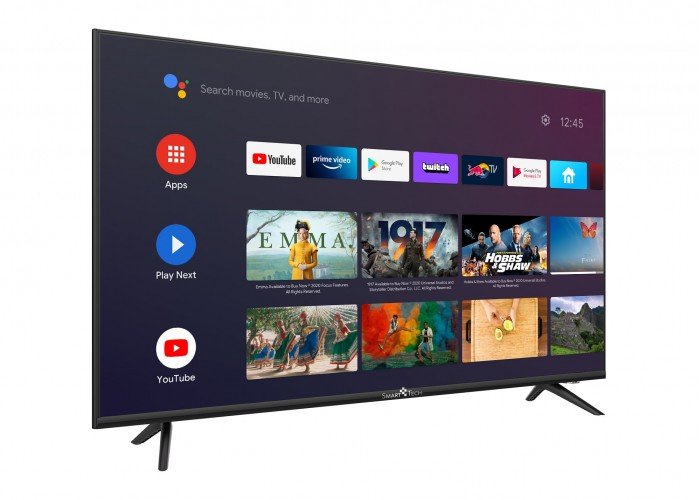
Android TV vs Google TV: What's the Difference?
Android TV (older platform) and Google TV (newer overlay on Android TV) both run Android — which means they support the same IPTV apps. The distinction matters mainly for navigation: Google TV focuses on content recommendations while Android TV shows your installed apps directly. For IPTV setup purposes, the process is identical.
Android TV / Google TV Devices Supported
- Chromecast with Google TV (4K) — $49, highly recommended
- Nvidia Shield TV Pro — $199, best-in-class performance
- Sony Android TV / Google TV built-in — Many Sony TV models
- TCL Android TV models
- Hisense Android TV
- Philips Android TV
Best IPTV Apps for Android TV in 2026
| App | Install Method | Price | Rating |
|---|---|---|---|
| TiviMate | Google Play Store | Free / $5/yr | ★★★★★ |
| IPTV Smarters | Google Play / APK | Free | ★★★★½ |
| ImPlayer Pro | APK sideload | $5.99 | ★★★★ |
| XCIPTV | Google Play | Free | ★★★★ |
How to Install TiviMate on Android TV / Google TV
Unlike Firestick, TiviMate is available directly from the Google Play Store on Android TV:
- Open the Google Play Store on your Android TV / Google TV device
- Search "TiviMate IPTV Player"
- Install the app (it's free)
- Open TiviMate → Add Playlist → Xtream Codes
- Enter your IPTVBIRD server URL, username, and password
- Channels load in 60 seconds
Google TV (Chromecast) Specific Notes
The Chromecast with Google TV is excellent for IPTV. However, Google TV's homescreen is designed around content discovery — to access TiviMate directly, press the button with the grid icon (Apps) and navigate to "See All Apps." You can also move TiviMate to the top row for quicker access.
Nvidia Shield TV: Best Android TV for IPTV
The Nvidia Shield TV Pro is the fastest Android TV device available — its Tegra X1+ processor handles 4K streams without any stutter. It also supports USB storage for TiviMate recordings. At $199, it's an investment — but for serious IPTV users who want the absolute best performance, it's unmatched.
Works on any Android TV or Google TV device. Get IPTVBIRD → and set up in 5 minutes with TiviMate or Smarters.
See Also
- TiviMate Firestick Setup Guide — TiviMate is the top player for Android TV too
- IPTV Smarters Pro Setup Guide — Smarters Pro is another great Android TV option
Quick Checklist: IPTV setup on Android TV and Google TV
This guide is designed to help you install a suitable player, enter credentials safely, and validate stable living-room playback. Use this table before changing a working setup.
| Check | What to review |
|---|---|
| Identify the Television Platform First | Android TV versus Google TV, built-in television software, external streaming hardware |
| Prepare the Device and Google Account | system updates, available storage, account and regional settings |
| Select and Install a Player | official app-store search, player feature fit, safe installation sources |
| Add Access Details Carefully | credential entry, playlist naming, portal and server fields |
| Configure the Guide and Favorites | EPG refresh, channel groups, family-friendly organization |
| Tune Video and Audio Playback | hardware decoding, display refresh behavior, audio output |
Frequently Asked Questions
Is Google TV the same as Android TV for setup?
They use closely related app ecosystems, although their home screens differ. Confirm that the selected player appears in the device's official store.
Do I need to enable unknown sources?
Prefer an official app-store version whenever one is available. Enabling outside installation increases security and maintenance responsibility and is unnecessary for many setups.
Why is the playlist not loading?
Recheck spaces, capitalization, the complete server address, and whether the credentials are active. Test one variable at a time and avoid sharing the details publicly.
Should I use Wi-Fi or Ethernet?
Ethernet usually removes wireless interference. Good Wi-Fi can still work when the device has a strong signal and the router is not overloaded.
How much storage does an IPTV player need?
The app itself may be small, but guide data and cache grow. Keep reasonable free space and remove unused apps when updates or guide refreshes fail.
Why are channels visible but not playing?
The guide and live stream are separate data paths. Check account status, time settings, decoder choice, network quality, and whether multiple devices are using the same allowance.
Can I use the same setup on a phone?
Many services offer compatible mobile players, but interface and licensing rules differ. Install the official mobile version and confirm the service's connection policy.
How often should I update the player?
Review official updates regularly, especially when the device operating system changes. Record working settings before a major update so troubleshooting remains controlled.
Related IPTV Guides
Continue with the guide that matches your next setup or buying decision:
#iptv android tv #iptv google tv 2026 #android tv iptv setup #iptv nvidia shield #iptv chromecast google tv
Related IPTV Guides
- MAG Box IPTV Setup Guide 2026: Connect & Configure in Minutes — MAG boxes authenticate by MAC address, not a login — which is why so many arrive dead. Full 2026 setup: portal URL, network, EPG, firmware and the errors that actually happen.
- IPTV on Smart TV Without a Stick: Samsung, LG & Sony Guide 2026 — Can you get IPTV directly on a Samsung, LG, or Sony Smart TV without a Firestick? Yes — here are 4 working methods for smart TVs in 2026.
- STBEmu Pro IPTV Setup Guide for Firestick & Android TV 2026 — STBEmu Pro emulates a MAG STB box on Firestick and Android. Here's the complete STBEmu Pro setup guide for IPTV in 2026 — portal URL, MAC, and configuration.