Setup Guides
IPTV on Smart TV Without a Stick: Samsung, LG & Sony Guide 2026
Can you get IPTV directly on a Samsung, LG, or Sony Smart TV without a Firestick? Yes — here are 4 working methods for smart TVs in 2026.
By Marcus Reid · Published · Updated · 4 min read
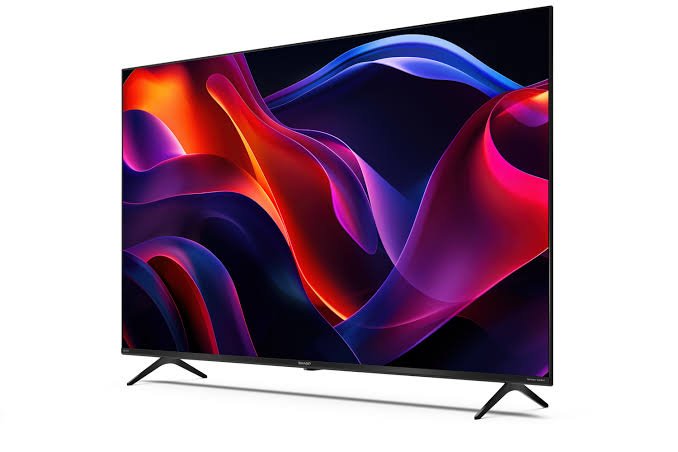
IPTV on Smart TV: Do You Need a Stick?
Most people use a Firestick or Android box to add IPTV to their TV — but many modern smart TVs can run IPTV apps natively. The approach varies by TV brand and operating system. Here's what works on each major smart TV platform in 2026.
Samsung Smart TV (Tizen OS)
Samsung TVs run Tizen OS, which doesn't support standard Android APKs. Your options:
- Smart IPTV app — Available from the Samsung App Store (one-time purchase ~$5). Supports M3U playlists. Load your IPTVBIRD M3U URL through the app's web portal at siptv.app
- IPTV Smarters (web version) — Some Samsung TV models support accessing web apps via the built-in browser
- Casting from phone — Use Samsung's built-in screen mirroring to cast IPTV Smarters from your Android/iOS phone
LG Smart TV (webOS)
LG webOS has the best native IPTV support of any smart TV platform:
- SS IPTV — Available in the LG Content Store, supports M3U and XC API
- Smart IPTV — Also available in the LG store, identical to the Samsung version
- Net IPTV — Popular option for LG, clean interface
Install any of these from the LG Content Store and add your IPTVBIRD M3U URL or Xtream Codes credentials. Channel loading takes 1–2 minutes.
Sony Smart TV (Android TV / Google TV)
Sony TVs with Android TV or Google TV have the best IPTV support of all smart TV brands — they run full Android, meaning you can install TiviMate or IPTV Smarters directly from the Google Play Store, just like on an Android phone.
Philips, TCL, Hisense (Android TV)
Android TV models from Philips, TCL, and Hisense also support TiviMate and IPTV Smarters via the Play Store. Same setup as Sony Android TV.
Recommendation by TV Brand
| TV Brand | OS | Best IPTV App |
|---|---|---|
| Samsung | Tizen | Smart IPTV (App Store) |
| LG | webOS | SS IPTV or Smart IPTV |
| Sony | Android / Google TV | TiviMate (Play Store) |
| TCL, Hisense | Android TV | TiviMate (Play Store) |
| Others | Various | Add a Firestick for best results |
IPTVBIRD works natively on Samsung, LG, and Sony smart TVs. Get your subscription → and our team helps you set it up on WhatsApp.
See Also
- IPTV M3U Playlist Guide — Understanding M3U is key for app-free Smart TV IPTV
- IPTV Android TV Setup Guide — If your Smart TV runs Android, use this guide instead
Quick Checklist: IPTV directly on a smart TV
This guide is designed to help you determine whether native playback is practical and know when an external device is the better choice. Use this table before changing a working setup.
| Check | What to review |
|---|---|
| Confirm the TV Brand and Operating System | Samsung Tizen, LG webOS, Google TV and other platforms |
| Understand Native App Limitations | store availability, regional listings, television update cycles |
| Compare Direct-Viewing Methods | native players, browser playback, casting and screen sharing |
| Set Up Credentials Without Exposing Them | on-screen entry, playlist portals, credential storage |
| Organize Channels for a TV Remote | favorites, guide navigation, parental and household controls |
| Improve Picture and Sound Reliability | TV processing modes, network placement, audio compatibility |
Frequently Asked Questions
Can a smart TV play IPTV without a stick?
Some televisions support a compatible native player, browser method, or casting workflow. Availability depends on the exact operating system, model, region, and current app store.
Why can I not find the same app shown in a tutorial?
App listings change by television model, software version, and region. Search the TV's current official store and verify the developer rather than relying on an old screenshot.
Is browser playback a permanent solution?
It can be useful for testing, but television browsers may have limited codec support, memory, and remote navigation. Evaluate it during normal viewing before relying on it.
Does casting use the phone the whole time?
That depends on the casting method. Screen mirroring keeps the phone involved, while supported handoff methods may let the receiving device continue playback.
Why is the TV app slower than a streaming device?
Televisions often have less memory and receive app updates less frequently. Clearing unused apps can help, but external hardware may provide a more responsive interface.
Can I enter a playlist with the television remote?
Yes where the player supports it, though long URLs are error-prone. Some apps provide a secure companion portal; verify its domain before entering credentials.
Will changing picture mode fix buffering?
Picture mode affects image processing, not network delivery. Buffering should be tested through signal strength, Ethernet, router load, decoder settings, and the stream source.
When should I buy an external streaming device?
Consider one when the TV lacks a maintained player, navigation is frustrating, updates have stopped, or testing shows the native method cannot meet household needs.
Related IPTV Guides
Continue with the guide that matches your next setup or buying decision:
#iptv smart tv without app #iptv samsung smart tv 2026 #iptv lg smart tv #iptv sony android tv #smart iptv app samsung
Related IPTV Guides
- How to Watch NBA Games in 2026: Streaming & TV Guide — A practical 2026 guide to finding each NBA game's authorized national, local, or League Pass stream without relying on outdated channel lists.
- STBEmu Pro IPTV Setup Guide for Firestick & Android TV 2026 — STBEmu Pro emulates a MAG STB box on Firestick and Android. Here's the complete STBEmu Pro setup guide for IPTV in 2026 — portal URL, MAC, and configuration.
- Formuler Z11 IPTV Setup 2026: MYTVOnline Guide — A Formuler Z11 and MYTVOnline setup guide covering device preparation, portal or playlist selection, private account entry, EPG configuration, remote controls, and troubleshooting.