Setup Guides
STBEmu Pro IPTV Setup Guide for Firestick & Android TV 2026
STBEmu Pro emulates a MAG STB box on Firestick and Android. Here's the complete STBEmu Pro setup guide for IPTV in 2026 — portal URL, MAC, and configuration.
By Marcus Reid · Published · Updated · 4 min read
What Is STBEmu Pro?
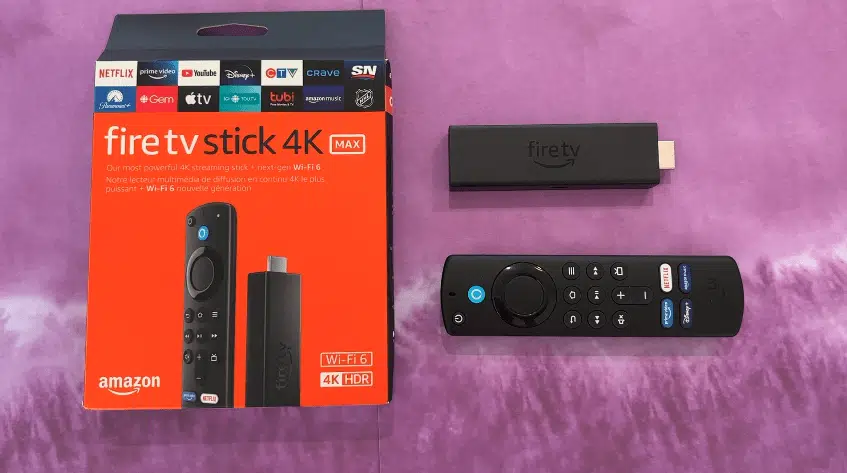
STBEmu Pro (Set-Top Box Emulator) is an Android app that emulates a hardware MAG set-top box on your device. It's particularly useful for users whose IPTV provider uses a portal-based system (like MAG boxes) rather than Xtream Codes or M3U. On Firestick and Android TV, STBEmu Pro gives you a MAG box experience without the $100+ hardware cost.
STBEmu Pro vs TiviMate vs IPTV Smarters
| App | Protocol | Best For |
|---|---|---|
| STBEmu Pro | Portal URL (STB) | Portal-based IPTV |
| TiviMate | Xtream Codes + M3U | TV-guide style experience |
| IPTV Smarters | Xtream Codes + M3U | All-platform support |
How to Install STBEmu Pro on Firestick
- Enable Developer Options: Settings → My Fire TV → Developer Options → Install Unknown Apps ON
- Install Downloader app from the Amazon App Store
- Open Downloader — search for STBEmu Pro APK download (contact your IPTV provider for the direct link)
- Install the APK and open STBEmu Pro
STBEmu Pro Configuration: Portal Setup
- Open STBEmu Pro → tap the three-dot menu → Settings
- Go to Profiles → Add a new Profile
- Enter a clear profile name (for example, "Living Room")
- Under Portal Settings, enter the portal URL supplied by your service
- The MAC address is auto-generated — send it privately to support if registration is required
- Save the profile and tap Load Portal
STBEmu Pro Tips
- Custom MAC: STBEmu lets you set a custom MAC address — useful if your IPTV provider registered a specific MAC for your account
- Buffering? Switch to the Hardware Decoder in STBEmu Settings → Player for better 4K performance
- Portal not loading? Try disabling your VPN and using Ethernet instead of Wi-Fi
IPTVBIRD supports STBEmu Pro portal setup. Get your subscription → and our team configures it for you via WhatsApp.
See Also
- MAG Box IPTV Setup Guide — Native Stalker Middleware setup for MAG devices
- Formuler Z11 IPTV Setup Guide — Premium Android TV box alternative
Quick Checklist: STBEmu setup on Fire TV and Android TV
This guide is designed to help you configure a portal profile carefully and troubleshoot it without exposing account or device information. Use this table before changing a working setup.
| Check | What to review |
|---|---|
| Understand the Portal Workflow | emulated set-top boxes, portal addresses, device identity |
| Confirm STBEmu Is the Right Player | provider requirements, portal versus playlist access, remote-control expectations |
| Prepare Fire TV or Android TV | system updates, storage and memory, network readiness |
| Create a Clean Profile | profile naming, portal entry, keyboard accuracy |
| Handle MAC and Device Details Safely | identifier formatting, provider-side registration, privacy precautions |
| Configure Display and Remote Controls | screen resolution, button mapping, menu navigation |
Frequently Asked Questions
What is STBEmu used for?
It reproduces a set-top-box style portal interface on compatible Android-based hardware. Use it only when the service specifically supports a portal workflow.
Do I need both a portal URL and a MAC address?
Many portal configurations use both, but requirements differ. Follow the fields supplied by the service and do not invent or publish device identifiers.
Why does the portal show a blank screen?
Check the complete address, network access, device time, profile selection, and provider-side registration. Restart after changing one setting so the result is traceable.
Can STBEmu use a normal M3U playlist?
Its main purpose is portal emulation. If the service supplies a conventional playlist or account login, a purpose-built player may offer a simpler experience.
Is STBEmu available on every smart TV?
No. It targets compatible Android environments. Samsung and LG televisions use different systems unless an external Android-based device is connected.
Which video decoder should I choose?
Start with the default or hardware option, then test a known channel. Change only when video, audio, or synchronization problems persist on a stable connection.
Why did the profile stop working after an update?
Review changed permissions, decoder defaults, device identifiers, and portal registration. Keep private notes of working settings before applying major changes.
Should I share a screenshot when asking for help?
Redact portal addresses, usernames, passwords, MAC values, and subscription details. A useful support screenshot should show the error without revealing credentials.
Related IPTV Guides
Continue with the guide that matches your next setup or buying decision:
#stbemu pro #stbemu pro setup 2026 #stbemu firestick #stbemu pro iptv #stbemu portal url
Related IPTV Guides
- Formuler Z11 IPTV Setup 2026: MYTVOnline Guide — A Formuler Z11 and MYTVOnline setup guide covering device preparation, portal or playlist selection, private account entry, EPG configuration, remote controls, and troubleshooting.
- MAG Box vs Android TV Box: Which Fits a US Household? — Compare MAG and Android TV boxes by portal support, app flexibility, remote experience, networking, maintenance, and total ownership cost.
- MAG Box Network & EPG Optimization Guide for US Homes — Improve MAG box network stability and diagnose slow, missing, or incorrect EPG data using controlled Ethernet, Wi-Fi, timing, and playback tests.