Guides
How to Cut Cable TV in 2026: Cancel Your Subscription & Save
Cable now averages about $127/month. Here is the full 2026 process — audit the bill, map every channel to a real replacement, cancel cleanly, and save up to $1,250 a year.
By Marcus Reid · 2026-05-10 · 16 min read
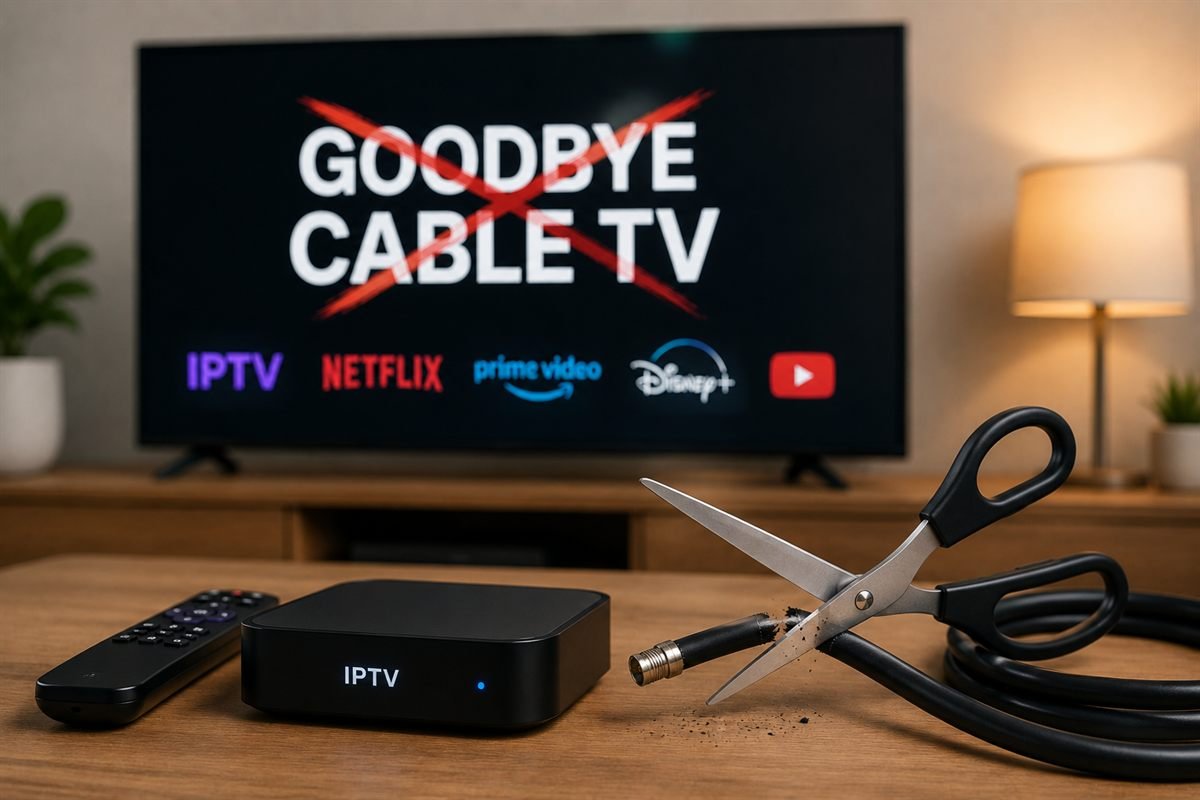
Learning how to cut cable TV in 2026 is less about finding one magic replacement and more about rebuilding your viewing around what you actually watch. The average American cable bill now sits somewhere around $125–$130 a month once equipment rental, broadcast fees and regional sports surcharges are added — roughly $1,500 a year for a package where most households regularly watch fewer than fifteen channels.
This guide walks through the whole process: auditing your current bill, working out which channels you genuinely need, checking your internet can handle the switch, mapping every major cable channel to a legitimate replacement, cancelling without being talked into a "retention offer" that locks you in again, and avoiding the equipment and final-bill traps that catch people on the way out.
Key takeaways
- Most households replace cable for $35–$70/month — the savings come from dropping channels you never watch, not from one cheaper product.
- You need roughly 25 Mbps per 4K stream. Count simultaneous streams, not people.
- Local channels are free over the air in most metro areas with a $30–$50 antenna — no subscription replaces them more cheaply.
- Cancel by phone, decline retention offers, and get a cancellation confirmation number plus an equipment return receipt.
- Live sports is the one category that can cost more after cutting — price your teams before you cancel.
What's inside
- Why 2026 is the year the maths changed
- Step 1 — Audit what you're actually paying
- Step 2 — Work out what you actually watch
- Step 3 — Check your internet can take it
- Step 4 — Map every channel to a replacement
- Step 5 — Cancel without being talked out of it
- Step 6 — Return equipment and kill the final bill
- Step 7 — Build your replacement setup
- What you actually lose when you cut cable
- Real annual cost comparison
- Mistakes that send people back to cable
- Frequently asked questions
Why 2026 Is the Year the Maths Changed
Cord-cutting is not new, but three things shifted recently that make the switch cleaner than it was even two years ago.
Streaming boxes finally match cable hardware
A $40 Fire TV Stick 4K now decodes H.265/HEVC in hardware, drives 4K HDR at 60fps, and boots faster than most cable set-top boxes. The hardware gap that used to justify equipment rental has closed entirely.
Live TV latency has collapsed
Early streaming services ran 30–60 seconds behind broadcast, which was miserable for sports — your phone buzzed with a goal notification before you saw it. Low-latency delivery has pulled that down to roughly 5–15 seconds on most services, close enough that the experience no longer feels broken.
Cable pricing stopped pretending
The headline price was never the real price. Broadcast TV fees, regional sports fees and per-box rental now routinely add $25–$40 a month on top of the advertised rate. Once you total the actual line items, the comparison stops being close.
Step 1 — Audit What You're Actually Paying
Before comparing anything, pull your last full bill. Not the promotional rate you signed up on — the current one, with every line item.
Find the fees hiding under the headline rate
Almost every US cable bill contains charges that are not the package price:
- Broadcast TV fee — typically $15–$25/month, and it rises independently of your contract
- Regional sports fee — $10–$15/month in most markets, charged whether or not you watch sports
- Set-top box rental — $8–$12 per box, per month
- DVR service fee — $10–$20/month on top of the box
- HD technology fee — still present on some legacy accounts
A household with two boxes and a DVR is often paying $45–$60/month in fees alone before a single channel is counted.
Separate the TV portion from internet
This is the number that matters. You are keeping internet either way, so your real saving is the TV portion plus fees, minus what your replacement costs. If you are on a bundle, call and ask what internet-only costs at your speed tier — that figure is your true baseline.
Check whether you're under contract
Two-year agreements carry early termination fees, often prorated at around $10–$20 for each remaining month. If you have four months left, paying the fee may still beat four more months of full service — do the arithmetic rather than assuming you're trapped.
Step 2 — Work Out What You Actually Watch
This is the step people skip, and it's the one that decides whether cord-cutting saves money or quietly costs more.
The two-week channel log
For two weeks, write down every channel you actually stop on. Not what you'd like to watch — what you did watch. Most households finish with a list of ten to fifteen channels, and a large share of viewing sits on four or five of them.
Sort the list into three buckets
- Must-have — you would notice within a week if it vanished
- Nice-to-have — you'd miss it occasionally
- Never — it exists in your package and nowhere in your life
Only the first bucket needs replacing. The second can usually be covered by an on-demand service. The third is what you're paying for and shouldn't be.
Identify your one hard requirement
Almost every household has a single thing that dictates the whole plan: a specific team's regional sports network, a news channel someone watches daily, or a kids' channel that keeps mornings calm. Price that one thing first — it determines which route is realistic.
Step 3 — Check Your Internet Can Take It
Cable TV arrives on its own dedicated bandwidth. Streaming does not — it shares your broadband with everything else in the house. This is where switches go wrong.
How much speed each stream actually needs
| Quality | Typical bitrate | Recommended per stream | Codec |
|---|---|---|---|
| SD (480p) | 1–2 Mbps | 3 Mbps | H.264 |
| HD (720p) | 3–4 Mbps | 6 Mbps | H.264 |
| Full HD (1080p) | 5–8 Mbps | 10 Mbps | H.264 / H.265 |
| 4K UHD | 15–25 Mbps | 25 Mbps | H.265 / HEVC |
Count simultaneous streams, not people
Three TVs running 4K at once needs roughly 75 Mbps of headroom, plus whatever else is on the network. A 100 Mbps connection handles a typical two-to-three-stream household comfortably. Below 50 Mbps, plan on 1080p rather than 4K.
Wired beats wireless for the main TV
Most buffering complaints after cutting cable are Wi-Fi problems, not service problems. A $15 Ethernet adapter on your primary streaming device removes the single most common failure point. If running a cable isn't practical, a modern mesh system or 5GHz band placement is the next best thing — our guide to fixing buffering and lag covers the diagnosis order.
Watch for data caps
4K streaming consumes roughly 7–10 GB per hour. A household watching five hours a day can push past a 1.2 TB monthly cap. Check your ISP's cap before switching, and check what overage costs.
Step 4 — Map Every Channel to a Replacement
Here is the honest version of the replacement table — the one that names the mainstream services most cord-cutters actually use, with approximate 2026 US pricing.
| What you watch | Cheapest mainstream replacement | Approx. cost |
|---|---|---|
| Local ABC / NBC / CBS / Fox | Over-the-air antenna (one-time purchase) | $30–$50 once |
| ESPN, ESPN2 | Sling Orange, or ESPN+ for non-linear content | ~$46/mo · ~$12/mo |
| Regional sports (your local team) | FuboTV or DirecTV Stream — check your RSN by ZIP | ~$85/mo |
| CNN, MSNBC, Fox News | Sling Blue or YouTube TV | ~$51/mo · ~$83/mo |
| HBO / Max originals | Max standalone | ~$17/mo |
| Discovery, HGTV, Food Network | Max (bundled) or Philo | ~$17/mo · ~$28/mo |
| Kids' channels | Disney+ or Paramount+ | ~$16/mo · ~$13/mo |
| Cloud DVR | Included with YouTube TV / Fubo / Hulu Live | included |
| International / multi-country channels | An IPTV subscription such as IPTVBIRD | from ~$5/mo annually |
Start with the antenna — it's the biggest single win
Local broadcast channels carry most live sport that airs nationally, network primetime, and local news. They are free over the air, in full HD, with no subscription and no buffering. Check what's receivable at your address using the FCC's DTV reception map before buying — it tells you whether you need an indoor or roof-mounted antenna.
Don't rebuild cable by accident
The classic mistake is subscribing to YouTube TV plus Max plus Disney+ plus Netflix plus Peacock and landing at $150/month — more than the cable you left. Every service you add should replace something from your must-have list, not sit alongside it.
Where IPTV fits
An IPTV subscription covers a different need from the US live-TV services above: breadth. It's the practical route for international channels, multi-country sports coverage, and households that want a large linear lineup for one low monthly cost rather than assembling four separate US subscriptions. It is not a replacement for a regional sports network blackout, and it doesn't remove the need for an antenna if locals matter to you. If that's your situation, our IPTV vs cable vs streaming comparison lays out where each option genuinely wins, and what IPTV actually is explains the technology in plain terms.
Step 5 — Cancel Without Being Talked Out of It
Retention departments exist to keep you, and they are effective. Go in with a plan.
Have your replacement running first
Set up and test your antenna and streaming services before you cancel. The most common reason people return to cable is a gap between switching off and having something that works.
Call, don't chat
Most providers still require a phone call to cancel TV service. Call mid-morning on a weekday when hold times and hand-offs are shortest.
What to say — and what not to
- State plainly that you want to cancel TV service and keep internet, if that's the case
- Decline the first, second and third offer — retention scripts escalate, and accepting typically restarts a contract
- Don't argue about price. "I've decided to cancel" ends the negotiation faster than any justification
- Don't explain your replacement in detail — it just gives the script something to counter
Get these three things before you hang up
- A cancellation confirmation number
- The exact service end date — you have usually paid through the end of the billing cycle
- Written confirmation by email, and the equipment return deadline
Provider quirks worth knowing
| Provider | Cancellation route | Equipment return |
|---|---|---|
| Xfinity / Comcast | Phone or in-store; chat often redirects | Store or UPS drop-off, receipt required |
| Spectrum | Phone only | Store or UPS, keep tracking |
| Cox | Phone or in-store | Store or prepaid shipping label |
| DirecTV / Dish | Phone; ETF applies if under contract | Receivers returned by prepaid box |
Step 6 — Return Equipment and Kill the Final Bill
More money is lost after cancellation than during it. Unreturned-equipment charges routinely run $150–$300 per box.
Return everything, and keep the receipt
Boxes, remotes, power adapters, cable cards and rented modems all count. Get an itemised receipt listing serial numbers — a plain drop-off slip is not enough if a charge appears later.
Photograph the serial numbers
Snap a photo of each device's serial label before returning it. If the provider claims an item wasn't received, the serial plus the receipt resolves it in one call.
Watch the next two bills
Billing systems often issue one more statement after the end date. Check that the TV portion is gone, that no equipment fee remains, and that any credit for the unused portion appears. Dispute in writing, referencing your cancellation number.
Cancel auto-pay only after the final bill clears
Turning off auto-pay too early can leave a small balance that ends up in collections. Wait until you've seen a $0 statement.
Step 7 — Build Your Replacement Setup
The hardware side is genuinely simple, and mostly one-time.
Pick one streaming platform and stay on it
Mixing Fire TV in one room, Roku in another and Android TV in a third means three different app layouts and three sets of instructions for the household. Pick one and buy the same device for every TV.
What each device is good at
- Fire TV Stick 4K — widest app support, easiest sideloading, cheapest to add per room
- Roku — simplest interface, best for a household that dislikes change
- Android TV / Google TV — most flexible for player apps and customisation
- Apple TV 4K — most expensive, best long-term software support
If you go the Firestick route, our Firestick setup walkthrough and best apps for Firestick cover installation end to end.
Set up the antenna properly
Height and direction matter more than the price of the antenna. Aim toward your local broadcast towers, get it as high as practical, and rescan channels after any repositioning. An indoor antenna in a ground-floor room facing away from the towers will underperform a cheaper one placed well.
Sort out recording before you need it
If your household relies on recording, confirm the DVR arrangement on day one. YouTube TV, Fubo and Hulu Live include cloud DVR; for over-the-air, a device with a tuner and attached storage handles it. Discovering this gap mid-season is a common trigger for going back.
What You Actually Lose When You Cut Cable
An honest guide has to cover the downsides, because they're the reason a minority of people switch back.
Regional sports blackouts
This is the single hardest problem in US cord-cutting. Some regional sports networks are unavailable on every streaming service in certain markets. If you follow a local team, verify by ZIP code before cancelling — this one issue can make cutting cable genuinely more expensive.
One bill becomes several
Four subscriptions on four renewal dates is more admin than one cable bill. Set calendar reminders, and audit quarterly — unused subscriptions are where cord-cutting savings quietly disappear.
Everything depends on your internet
When broadband goes down, television goes with it. An antenna is a useful hedge here: it keeps working during an outage.
Channel surfing changes
Streaming interfaces are built around search and recommendation, not a numbered grid. Households used to flipping channels take a few weeks to adjust — a service with a proper EPG shortens that adjustment considerably.
Real Annual Cost Comparison
Three realistic replacement stacks, priced against a typical cable bill. Internet is excluded from every row because you pay for it either way.
| Setup | What it covers | Per month | Per year |
|---|---|---|---|
| Cable TV (typical) | Full lineup + fees + 2 boxes + DVR | ~$127 | ~$1,524 |
| Lean | Antenna + Netflix + Max | ~$35 | ~$420 |
| Balanced | Antenna + IPTV (annual) + Netflix | ~$23 | ~$276 |
| Sports-first | Antenna + YouTube TV + Max | ~$100 | ~$1,200 |
Reading the table honestly
The lean and balanced setups save roughly $1,100–$1,250 a year. The sports-first setup saves closer to $300 — still a saving, but a much smaller one, and that's the realistic outcome for a household that must keep a full live-sports lineup. Anyone quoting a single savings figure for cord-cutting is ignoring which of these three you are.
The one-time costs
Budget $30–$50 for an antenna and $30–$50 per streaming device. A two-TV household is typically $100–$150 up front, recovered inside the first two months.
Mistakes That Send People Back to Cable
Cancelling before testing the replacement
Run the new setup alongside cable for a week. The overlap costs a few dollars and prevents the panic that drives people back.
Not checking sports by ZIP code
National coverage means nothing if your team is on a regional network your chosen service doesn't carry in your market. Check the specific ZIP, not the state.
Underestimating simultaneous streams
A household that watches three TVs at once needs bandwidth and a plan that permits three streams. Both limits bite at the worst moment.
Ignoring the household
If one person makes the switch and everyone else finds the new remote confusing, the switch fails socially rather than technically. Set up favourites, show people where their channels live, and keep the layout consistent across rooms.
Letting subscriptions pile back up
Cord-cutting saves money only if you keep pruning. Review every three months and cancel anything unwatched — most services let you resubscribe instantly when a season returns.
Putting It All Together
Cutting cable in 2026 is a sequence, not a single decision: audit the bill, log what you watch, confirm your internet, map each must-have channel to a real replacement, test it, then cancel cleanly and return the hardware with a receipt. Households that follow that order typically land between $23 and $100 a month, against roughly $127 for cable — and the ones who skip the testing step are the ones who go back.
If broad linear coverage and international channels are what you're replacing, an IPTV subscription is the most cost-effective single piece of that puzzle. IPTVBIRD runs from $15 for a month to $59 for a year — about $4.92 a month annually — and works on the same Firestick or Smart TV you'd buy anyway. See how the plans compare, browse the full channel list, or read the installation guide before deciding.
Ready to replace your cable lineup?
23,000+ live channels in up to 4K, working on Firestick, Smart TV, Android and iOS. No contract. See IPTVBIRD plans from $15 →
Frequently Asked Questions
How much money will I actually save by cutting cable TV?
Most households save between $400 and $1,250 a year. The range is wide because it depends entirely on sports: a lean setup of antenna plus two streaming services runs about $35/month against roughly $127 for cable, while a sports-first setup with a full live-TV service lands nearer $100/month and saves far less.
Can I keep my local channels after cutting cable?
Yes, and usually for free. ABC, NBC, CBS, Fox and PBS broadcast over the air in full HD, and a $30–$50 antenna receives them permanently with no subscription. Check the FCC DTV reception map for your address first to see whether an indoor antenna is sufficient.
What internet speed do I need to replace cable TV?
Roughly 25 Mbps for each simultaneous 4K stream, or 10 Mbps for 1080p. A 100 Mbps connection comfortably handles two to three 4K streams plus normal household use. Below 50 Mbps, plan on 1080p rather than 4K.
What happens to my DVR recordings when I cancel?
Recordings stored on a provider's set-top box or cloud DVR are lost when the account closes. If anything on there matters, copy it off before your service end date. Replacement cloud DVR is included with YouTube TV, Fubo and Hulu + Live TV.
Will I lose my provider email address?
Often yes. Some providers close ISP-issued mailboxes shortly after cancellation, others only when you drop internet too. Migrate anything important to an independent address before you cancel, and update your logins.
Do I have to return the cable box?
Yes, and promptly. Unreturned equipment charges typically run $150–$300 per device. Return every box, remote, power adapter and rented modem, get an itemised receipt with serial numbers, and photograph the serial labels beforehand.
Can I keep internet with the same company after cancelling TV?
Yes. Internet-only service is always available, though the price usually changes once the bundle discount disappears. Ask what internet-only costs at your current speed before cancelling, so you know your true baseline.
What about regional sports blackouts?
This is the hardest part of US cord-cutting. Some regional sports networks are not carried by any streaming service in certain markets. Check availability by your exact ZIP code before cancelling — if your team is unavailable, cutting cable may genuinely cost more.
Is IPTV legal in the United States?
IPTV as a delivery technology is entirely legal — it is simply television over the internet, the same method used by mainstream services. What matters is whether the provider holds distribution rights for the content it carries. Use a provider that licenses its content and check the rules that apply where you live.
How long does the whole switch take?
Plan a week. A day or two to audit and order hardware, a few days running the new setup alongside cable, then one phone call to cancel and a trip to return equipment. The actual cancellation takes about twenty minutes.
Can I go back to cable if I don't like it?
Yes, and new-customer promotional rates are usually better than what you were paying. That said, a returning customer may not qualify for every introductory offer, so treat the switch as a real decision rather than an experiment.
Prices in this guide are approximate US rates at the time of writing and change frequently — confirm current pricing with each provider. Use streaming services that hold proper distribution rights for the content they carry, and check the regulations that apply in your own jurisdiction.
Related guides
- What Is IPTV? — how the technology works, in plain language
- IPTV vs Cable vs Streaming — where each option genuinely wins
- IPTV vs YouTube TV — cost and channel coverage compared
- IPTV vs Sling TV — which suits a lean setup better
- Best IPTV Service USA — what to check before subscribing
- Best IPTV Sports Channels — coverage for live sport
- Fix IPTV Buffering — diagnosing playback problems in order
#cut cable tv #cancel cable subscription #cord cutting #IPTV #streaming #2026
Related IPTV Guides
- What Is IPTV? A Complete Guide to How IPTV Works (2026) — What is IPTV, how does it work, and why is it replacing cable? This plain-language guide explains everything — channels, quality, devices, and cost.
- IPTV vs Cable vs Streaming Services: Which Is Best in 2026? — Head-to-head comparison of IPTV, cable TV, and streaming services like Netflix and Hulu — cost, channels, flexibility, and which one wins in 2026.
- Best IPTV Sports Channels 2026: NFL, NBA, Premier League & More — The complete guide to IPTV sports channels — NFL, NBA, Premier League, UFC, F1 and more. Watch every game live without cable sports packages.