Setup Guides
IPTV Smart TV Setup Guide 2026: Samsung, LG & Google TV
Identify your Smart TV platform, install a compatible verified player, enter authorized account details privately, configure the guide, and solve common playback problems.
By Marcus Reid · Published · Updated · 7 min read
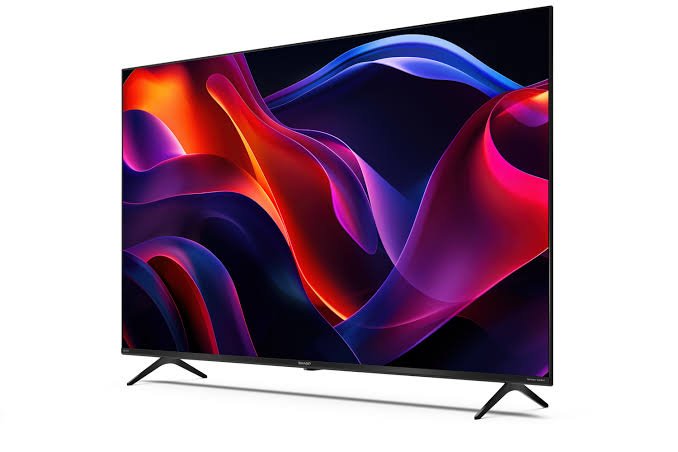
“Smart TV” is a hardware category, not one operating system. Samsung Tizen, LG webOS, Google TV, Android TV, Roku TV, and other platforms use different app stores and player options. A reliable IPTV setup therefore starts with the exact television model and operating system rather than a generic app recommendation.
Identify the Television Platform First
Open the television's About or Support screen and record the brand, model, software version, country or store region, and available storage. Search the television's current official app store because an app shown in an old tutorial may have been removed or may never have been offered for that model.
| TV platform | Where to begin | Important limitation |
|---|---|---|
| Samsung Tizen | Samsung Apps on the television | Listings vary by model year and region |
| LG webOS | LG Content Store | App support differs across webOS versions |
| Google or Android TV | Google Play on the television | Use TV-compatible, remote-friendly apps |
| Other Smart TV | Manufacturer's official store and support page | Browser or casting support is not universal |
Use the Smart TV compatibility hub for platform-specific routes.
Verify the Player and Login Format
Confirm that the selected player supports the M3U, server-account, or other format supplied by the authorized media service. Compare the publisher, privacy information, update history, EPG support, captions, audio, parental controls, and activation terms before entering account details.
A player license does not purchase television content, and a playlist does not prove distribution rights. Keep the source and player decisions separate. The player comparison explains the main feature checks.
Install and Configure Samsung, LG or Google TV
On Samsung or LG, install from the television's official store and follow the verified publisher's on-screen workflow. Some apps accept details directly; others display a device identifier and use a companion portal. Reach any portal from the verified developer documentation, not a search advertisement.
On Google TV or Android TV, install a television version from Google Play, open it with the remote, and choose the matching login type. Enter account information privately and wait for the first synchronization. Continue with the dedicated Samsung guide, LG guide, or Google TV guide.
Set Up the EPG and Household Controls
Check the TV clock and time zone before applying guide offsets. Test a small favorites list, captions, audio tracks, aspect ratio, remote navigation, and parental controls. Avoid changing several playback options at once because that removes the working baseline.
Never publish a playlist URL, username, password, QR code, MAC-like device identifier, or activation key. Remove the profile before selling or giving away a television, and use a unique account password where the service supports one.
Troubleshoot Smart TV Playback
If the app is missing, confirm the exact model, store region, and current publisher support. If login fails, check format, capitalization, protocol, subscription status, and the complete address. If the interface is slow, restart the TV, close unused apps, and check storage before reinstalling.
For buffering, compare the same authorized item on Ethernet and Wi-Fi and note whether the problem affects one app or the whole television. Use the troubleshooting center and connection-testing guide.
Frequently Asked Questions
Can every Smart TV install the same IPTV app?
No. App availability depends on the operating system, model year, software version, region, and current developer support.
Do I need an external streaming device?
Not when the television has a maintained compatible player. An external device can help when the native store is limited or the interface is no longer supported.
Why is an app missing from my TV store?
The listing may not support that platform, model, region, or software version. Check the developer and television manufacturer rather than changing regions blindly.
Can I use the television browser?
Only when the authorized service documents browser playback. TV browsers may have limited codecs, memory, security updates, and remote navigation.
Why are channels visible but not playing?
The playlist or guide can load while account entitlement, the media source, decoder, or network path fails. Test another authorized item and one layer at a time.
How do I protect account information?
Use only verified apps and portals, redact credentials from screenshots, and remove saved profiles from devices you no longer control.
#samsung tv iptv #iptv smart tv setup #LG TV IPTV #android tv iptv #Smart TV #2026
Related IPTV Guides
- Best IPTV Sports Channels 2026: Viewing Planner — A league-by-league method for finding authorized sports coverage, comparing required plans and devices, and preparing a dependable match-day setup.
- Best IPTV for Firestick 2026: Apps, Setup & Safety — A Fire TV buyer guide for checking service rights, app compatibility, login formats, household needs, network readiness, privacy, and total cost.
- TiviMate Firestick Setup Guide 2026: Safe Steps — A Fire TV-focused TiviMate walkthrough covering device preparation, verified installation, private playlist entry, EPG setup, controls, and fixes.